Downloads: Difference between revisions
Jump to navigation
Jump to search
EvilManfred (talk | contribs) No edit summary |
EvilManfred (talk | contribs) No edit summary |
||
| Line 63: | Line 63: | ||
top: -165px;"> | top: -165px;"> | ||
[[File:aispwiki.png|class=bottom|link=Main_Page]] | [[File:aispwiki.png|class=bottom|link=Main_Page]] | ||
</div> | |||
<div id=menubutton style=" | |||
left:-140px; | |||
top: 400px;"> | |||
[[File:mainmenu02.png|class=bottom|link=Main_Menu]] | |||
[[File:mainmenu01.png|class=top|link=Main_Menu]] | |||
</div> | |||
<div id=menubutton style=" | |||
left:-110px; | |||
top: 383px;"> | |||
[[File:totoparrow2.png|class=bottom|link=#top|Back to Top]] | |||
[[File:totoparrow1.png|class=top|link=#top|Back to Top]] | |||
</div> | |||
<div id=menubutton style=" | |||
left:-110px; | |||
top: 450px;"> | |||
[[File:tobotarrow2.png|class=bottom|link=#footer|Bottom of Page]] | |||
[[File:tobotarrow1.png|class=top|link=#footer|Bottom of Page]] | |||
</div> | </div> | ||
| Line 79: | Line 100: | ||
margin:0 auto; | margin:0 auto; | ||
width:1350px; | width:1350px; | ||
} | |||
#menubutton { | |||
position:absolute; | |||
margin:0 auto; | |||
width:200px; | |||
} | } | ||
| Line 98: | Line 125: | ||
transition: opacity 0,2s ease-in-out; | transition: opacity 0,2s ease-in-out; | ||
} | } | ||
#menubutton img { | |||
position:fixed; | |||
left:1; | |||
bottom:1; | |||
-webkit-transition: opacity 0,2s ease-in-out; | |||
-moz-transition: opacity 0,2s ease-in-out; | |||
-o-transition: opacity 0,2s ease-in-out; | |||
transition: opacity 0,2s ease-in-out; | |||
} | |||
#cf img.top:hover { | |||
opacity:0; | |||
} | |||
#menubutton img.top:hover { | |||
opacity:0; | |||
} | |||
} | } | ||
| Line 104: | Line 151: | ||
</div> | </div> | ||
Revision as of 19:50, 18 February 2023










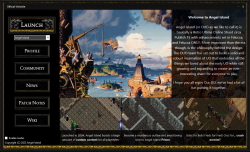
Click the link to visit the download portal for our launcher! Once there, click the download button (down facing arrow) in the top left area of the screen. For complete installation instructions, visit Install & Connect